Technology in Teaching · Lesson 7
Online Classes for Preschool – Best Practices
online classes for preschool best practices keep sessions short, safe, and active with simple routines and family-friendly tips.
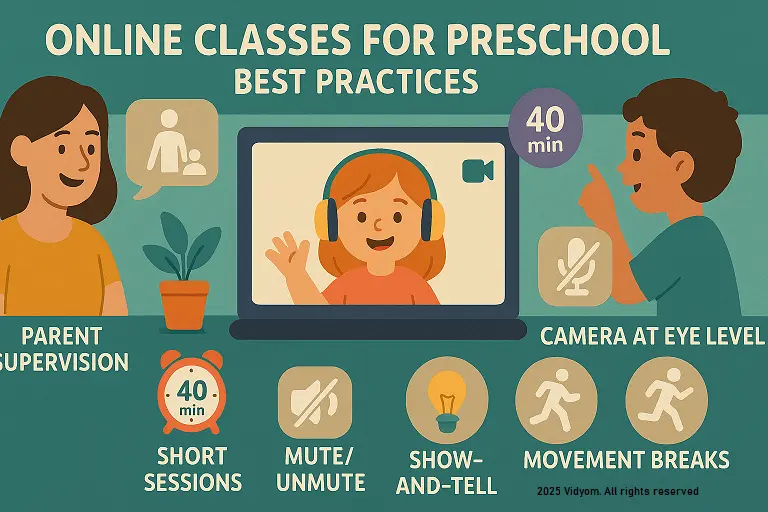
online classes for preschool best practices focus on short screens, big movement, and simple tech. With this guide, you’ll apply these principles through easy setup, engaging routines, and parent partnership—without overwhelming families or children.
Overview & Goals
- Keep it short: 20–30 min core + optional 10 min extension.
- Move often: every 5–7 min add actions—clap, stretch, find-&-show.
- Show → Say → Do: quick model, echo, hands-on task.
- Screen-light: teacher screen mostly; kids look away to do.
Tech Setup (Simple)
- Platform: one link, waiting room on, mute on entry.
- Camera: eye-height, bright face, quiet background.
- Resources: 3 slides max per segment, picture cues, big icons.
- Backup: offline plan if net drops (song + find 3 objects).
Engagement Routines
- Name checks: “Show me thumbs if you hear /m/”.
- Find-&-show: “Bring one red thing”.
- Build-&-tell: make a shape with pencils; say its name.
- Turn-taking: 3 names per segment; rest use chat emojis.
Parent Partnership (Friendly & Light)
- Before class: share 5-item kit list (crayons, 10 buttons, paper).
- During: adults sit nearby, help with mute, let child speak.
- After: 1 photo task; send a sticker note (well done!).
- Boundaries: teacher can’t troubleshoot devices mid-lesson.
Mini Timetable (Sample 40 minutes)
- 4 min — Hello song + rules (mute, hand signal)
- 7 min — Phonics picture cues + find-&-show
- 7 min — Number towers (build & compare)
- 7 min — Story picture walk + echo lines
- 7 min — Movement rhyme + calm breath
- 8 min — Choice task + share 3 student turns
Safety & Privacy
- No recordings unless school-approved and consented.
- Names: first name only; no sharing addresses/photos.
- Links locked: waiting room, remove on disruption, no file sharing from children.
- Data: keep logs to behavior notes, not personal details.
Quick Quiz (5 Questions)
Choose one option for each question and click Submit.
(1/7)

📲 Download VIDYOM App
Fun & interactive Kids Learning App! Install now and don’t forget to ⭐ rate us on Google Play.