
Vidyom Classroom – Interactive Lessons for Kids
Welcome to Vidyom Classroom, your home for interactive lessons for kids. Browse class-wise lessons for Pre-KG, LKG, UKG, and early grades. Explore play-based activities with pictures, tap-to-hear audio, and light animations. You can also try quick practice quizzes. Everything is mobile-friendly, parent-guided, and suitable for home or classroom preschool activities.
Welcome to Vidyom Classroom – a joyful place where kids explore, learn, and grow with fun videos, quizzes, and activities!







Early Learning – Interactive Lessons for Kids
To begin with, Vidyom Classroom makes early learning joyful and easy. Kids explore alphabets, numbers, and colors through pictures, sounds, and play.
Interactive Lessons for Kids – Class-wise Learning (Pre-KG to Std 2)
Choose age-appropriate interactive lessons for kids with pictures, audio, and simple practice activities designed for each class level.


Interactive Lessons for Kids – Learn at Home
Moreover, lessons are safe, mobile-friendly, and work smoothly with limited data. Parents can guide their child or let them learn independently in a calm, focused way.





Fun Interactive Lessons for Kids
Explore colorful learning activities with pictures, audio, quizzes, and simple practice. Vidyom helps young children learn new concepts through playful, easy-to-follow lessons.
Explore Lessons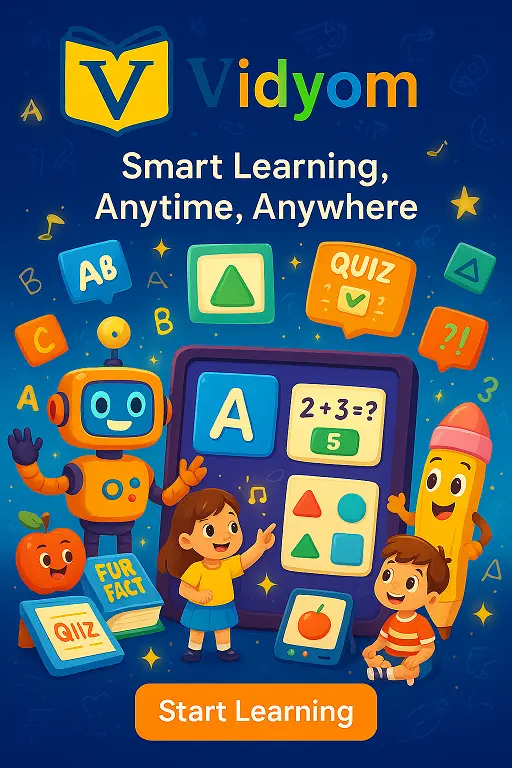
Simple Learning for Home and Mobile
Children can explore lessons at home with parent guidance or practice independently. Mobile-friendly activities make it easy to learn, listen, repeat, and review at a comfortable pace.
Visit Kids Learning Hub
Explore More Learning with Vidyom
Discover vocabulary, science, stories, general knowledge, class-wise lessons, quizzes, creative activities, and more—all organized to make learning easier and more enjoyable for young children.
Browse Learning LibraryInteractive Lessons for Kids – Parents Guide
A simple guide to help parents use Vidyom Classroom for safe, enjoyable and meaningful learning at home.
To begin with, thank you for choosing Vidyom Classroom. This page works like a safe home base where your child can explore simple lessons, listen to audio and build confidence step by step.
🌈 Why Interactive Lessons Matter
Because early learning should be joyful, Vidyom brings many topics together in one trusted place. As a result, your child avoids random videos and stays focused on meaningful learning.
Open the hub, choose a class and select a clear lesson icon. Children can then explore pictures, audio and short practice activities.
🧩 What Children Can Explore
- Alphabets and numbers with tap-to-hear audio.
- Animals, birds and other living things with sounds and pictures.
- Colors, clothes, games, professions and everyday topics.
- Simple science facts, true-or-false quizzes and fun questions.
- Drawing and papercraft activities for creative practice.
- Short stories and poems for listening and language development.
🏡 Using Interactive Lessons at Home
Open one or two lessons each day, sit beside your child and let them tap pictures, play audio and repeat words. Short sessions can make learning feel more like play than study.
- Start with short 10-minute learning sessions.
- Guide your child first, then allow simple independent practice.
- Ask easy questions about what they have just learned.
- Repeat favourite lessons on another day for revision.
🛡️ Screen-Time Tips for Learning
Staying nearby can help young children use digital learning activities more effectively. Keep the volume comfortable, adjust screen brightness, and encourage regular breaks.
For longer learning sessions, give children time away from the screen for movement, conversation or hands-on activities.
📈 Learning That Grows with Your Child
Children can begin with Pre-KG activities and gradually explore LKG, UKG and early primary lessons as their skills grow.
This makes Vidyom Classroom useful for continued practice across different stages of early learning.

Interactive Lessons for Kids – Explore Vidyom Classroom
Discover class-wise learning activities, audio lessons, quizzes, stories, science, vocabulary, and creative practice for young children. Vidyom Classroom brings simple, engaging learning resources together in one place for home and classroom use.
🌱 How Vidyom Classroom Supports Interactive Learning
Unlike random videos, Vidyom Classroom offers structured interactive lessons for kids in one trusted place. Each lesson is short, focused, and designed with pictures, audio, and simple activities that match a child’s age. There are no distractions, heavy animations, or confusing menus. Children learn step by step, while parents feel confident about what their child is watching. This balance makes learning joyful, meaningful, and easy to include in daily routines.
Vidyom Classroom – FAQ
What is Vidyom Classroom?
How do I use the icons and lesson links?
Do lessons have audio and light animations?
Can I browse by class (Pre-KG, LKG, UKG, Std 1–2)?
Are there quizzes or practice pages?
Does it work on phones and tablets?
📲 Download Vidyom – Kids Learning App
Enjoy safe and distraction-free learning for kids. Install the Vidyom app now for an ad-free experience, fun lessons, and interactive activities.