
Online Classes for Preschool – Best Practices for Teachers
Online classes for preschool should be short, safe, active, and easy for families to follow. This lesson helps teachers plan screen-light sessions with movement, simple routines, parent support, and privacy rules.
This lesson helps teachers run preschool online sessions without overwhelming children or parents. The best online lessons use short screen time, clear teacher modelling, simple home materials, movement breaks, and friendly parent partnership.
Online Classes for Preschool – Overview and Goals
Young children learn better online when the session is short, predictable, and active. The teacher should guide children to look, say, move, find, build, and share.
- Keep it short: Use 20 to 30 minutes of core learning, with an optional short extension.
- Move often: Add action every 5 to 7 minutes, such as clap, stretch, find-and-show, or finger counting.
- Show, say, do: Model quickly, ask children to echo, then give a hands-on task.
- Screen-light: Use the teacher screen mainly for cues, then let children look away and do the activity.
Simple Tech Setup for Preschool Online Sessions
A simple setup helps teachers focus on children instead of fixing many tools during the session.
- Platform: Use one meeting link, waiting room, and mute on entry where available.
- Camera: Keep the camera at eye height, with a bright face and quiet background.
- Resources: Use a few clear slides, picture cues, big icons, and simple instructions.
- Backup: Keep an offline plan ready, such as a song, find-three-objects task, or paper activity.
Engagement Routines for Young Children
Preschool children need frequent interaction. Small routines help them stay connected without sitting silently for a long time.
- Name checks: Ask children to show thumbs, point, clap, or say a word when they hear a sound.
- Find and show: Ask children to bring one red object, one round object, or one soft object.
- Build and tell: Let children make a shape with pencils, blocks, or fingers, then say its name.
- Turn-taking: Call a few children each segment and let others respond with gestures or simple chat signals if allowed.
Parent Partnership for Online Preschool
Parents should support the child, but they should not take over the lesson. Clear instructions help families feel calm and prepared.
- Before class: Share a small kit list such as crayons, paper, buttons, blocks, or safe household objects.
- During class: Adults can help with mute, camera, and materials, while the child answers and tries.
- After class: Give one small home task, such as drawing, sorting, counting, or sending a simple photo update if allowed.
- Boundaries: Teachers should not troubleshoot every device problem during the live lesson.
40-Minute Online Preschool Timetable
This sample timetable mixes songs, phonics, numbers, story, movement, and sharing so children do not sit passively.
- 4 minutes: Hello song and simple rules for mute, hand signal, and listening.
- 7 minutes: Phonics picture cues with find-and-show activity.
- 7 minutes: Number towers using home objects or fingers.
- 7 minutes: Story picture walk with echo lines.
- 7 minutes: Movement rhyme and calm breathing.
- 8 minutes: Choice task and 3 student sharing turns.
Safety and Privacy in Online Classes
Safety is part of good online teaching. Teachers should protect links, names, recordings, and child data.
- Recordings: Do not record sessions unless the school approves and parents give consent.
- Names: Use first names only and avoid addresses, private photos, and personal details.
- Meeting links: Use waiting rooms, remove disruptions, and avoid public sharing of class links.
- Data: Keep notes focused on learning and behaviour, not unnecessary personal information.
Quick Quiz
Choose one option for each question and click Submit.
Teacher Reflection & Practice
After learning about online classes for preschool, think about how short, predictable, screen-light sessions can help young children stay active while families receive clear guidance and teachers maintain safe routines, simple technology, and strong privacy practices.
Which part of online preschool teaching is most difficult for you: keeping the core session to 20 to 30 minutes, adding movement every 5 to 7 minutes, managing mute and camera routines, keeping materials simple, involving parents without letting them take over, or protecting meeting links and child information?
During your next online class, notice whether children are looking, speaking, moving, finding objects, building, and sharing instead of watching the screen passively. Also check whether parents understand their support role, the teacher controls the meeting safely, and children receive regular chances to look away from the screen and complete a real activity.
Plan one short online preschool session with a clear opening routine, one phonics or number activity, a find-and-show or build-and-tell task, and a movement break. Prepare simple home materials in advance, use a waiting room and first names where appropriate, and keep an offline activity ready in case the internet connection fails.
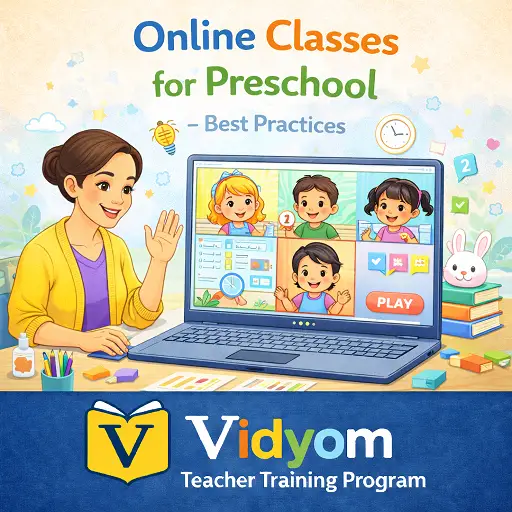
Keeping Virtual Preschool Lessons Active and Engaging
Online Classes for Preschool FAQs for Teachers
These simple answers help preschool teachers plan short, active, safe, and parent-friendly online sessions for young children.
What are online classes for preschool?
How long should an online preschool class be?
How can teachers keep preschool children active online?
What should parents do during online preschool classes?
How can teachers protect privacy in online preschool classes?
What should teachers do if the internet fails?
📲 Download Vidyom – Kids Learning App
Enjoy safe and distraction-free learning for kids. Install the Vidyom app now for an ad-free experience, fun lessons, and interactive activities.