
Online Gamification in Early Learning – Safe Preschool Teacher Guide
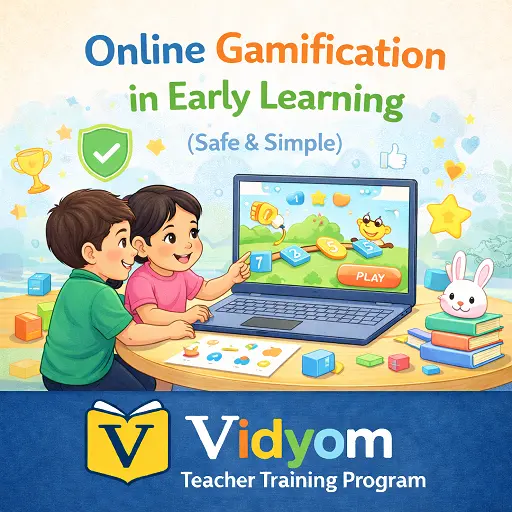
Online gamification in early learning means using simple digital rewards, class goals, timers, badges, and progress checks to guide young children without giving them too much screen time.
This lesson helps teachers use game-style learning in a calm and safe way. Rewards should be quick, visual, kind, and connected to real classroom behaviours like trying again, taking turns, cleaning up, listening, and teamwork.
Online Gamification in Early Learning – Overview and Tools
Game-style learning works best when it supports effort, routine, and participation. The teacher should stay in control and use digital tools only for short moments.
- Goal: Guide effort and classroom routines such as clean up, try again, take turns, and teamwork.
- Tools: Use timer apps, class points, badge boards, random name pickers, and simple spin wheels.
- Balance: Use 5 to 8 minutes on screen, then move to hands-on activity and quick celebration.
- No child accounts: Use the teacher screen only, with nicknames, groups, table colors, or class teams.
Game Elements for Young Learners
Preschool game elements should be simple, friendly, and easy to understand. They should encourage good behaviour without creating pressure.
- Points: A table can earn 1 to 3 stars for tidy work, waiting, sharing, or teamwork.
- Badges: Use badges like Helper, Calm Voice, Math Star, Listening Star, or Kind Friend.
- Levels: Use a class thermometer to reach a song, movement break, story choice, or game break.
- Timers: Use a 2 to 5 minute visual timer for transitions and quick challenges.
Setup and Safety for Digital Game Learning
Safe setup is important because young children should not manage online tools by themselves. The teacher should prepare the screen and keep all data private.
- Privacy: Avoid photos, personal details, and child accounts. Use first names, table colors, or group names only when suitable.
- Ads and links: Use ad-free modes where possible, preload screens, and avoid popups or unrelated links.
- Simple rules: Teach children to look up when the timer rings, listen to the clap pattern, and reset calmly.
- Fair chances: Rotate turns and use whole-class goals to reduce competition stress.
Sample Gamified Classroom Activities
A good gamified activity should lead children back to speaking, moving, sorting, building, counting, or using real classroom materials.
- Phonics spin: Spin a sound and ask children to find or say an object with that sound.
- Number race: Use a 2 minute timer and ask children to build towers that match shown numbers.
- Quiet quest: The class earns a badge for 3 calm transitions in a row.
- Helper hunt: A random picker chooses tidy captains, line leaders, or material helpers.
Progress and Rewards That Stay Kind
Rewards should notice effort and positive behaviour. Avoid rewards that shame children, compare them harshly, or make the class too excited.
- Dashboard: Tally stars or show a thermometer toward a small class reward like a song choice.
- Feedback: Name the behaviour clearly, such as “You waited your turn” or “Green Table cleaned up kindly.”
- Reset: If energy becomes too high, pause, breathe, lower the voice, and restart calmly.
- Home link: Send a badge note or activity message to families without sharing child faces or private details.
40-Minute Gamified Learning Timetable
This sample timetable keeps digital reward time short and gives more time to hands-on classroom activity.
- 5 minutes: Introduce the class goal and show the progress thermometer.
- 8 minutes: Use Activity 1 with a timer, such as phonics or number practice.
- 8 minutes: Use Activity 2 with a picker for helpers or turn-taking.
- 10 minutes: Run hands-on centers and give stars for tidy work and teamwork.
- 9 minutes: Give badge shout-outs, review behaviours, and end with a calm song reward.
Quick Quiz
Choose one option for each question and click Submit.
Teacher Reflection & Practice
After learning about online gamification in early learning, think about how simple points, badges, timers, class goals, and digital tools can encourage effort and participation without creating too much screen time, competition, excitement, or pressure.
Which part of gamified learning is most difficult for you: keeping screen use short, protecting children’s privacy, choosing kind rewards, giving fair turns, avoiding unhealthy competition, connecting digital tools to real classroom activities, or calming the class when excitement becomes too high?
During your next game-style activity, notice whether children understand the goal, receive fair chances, respond positively to points or badges, and move back to speaking, sorting, building, counting, teamwork, or another hands-on task. Also watch whether rewards encourage effort rather than comparison between children.
Plan one short gamified activity using a teacher-controlled timer, class goal, badge board, picker, or simple spin wheel. Keep digital use to about 5 to 8 minutes, avoid child accounts and private details, rotate turns fairly, and follow the activity with a hands-on task and a calm class reward such as praise, a song, or a movement break.
Making Digital Learning Playful and Purposeful
Online gamification can encourage participation by using simple elements such as visual timers, group stars, kindness badges, progress charts, spin wheels, and shared class goals. Activities should remain short, teacher-controlled, privacy-friendly, and focused on effort and teamwork rather than strong competition or excessive screen time.
Online Gamification in Early Learning FAQs for Teachers
These simple answers help preschool teachers use points, badges, timers, class goals, and digital game-style tools safely without creating too much screen time.
What does online gamification in early learning mean?
Is gamification safe for preschool children?
What are good game elements for young learners?
How much screen time should gamified activities use?
Should teachers use competition in preschool gamification?
How can teachers protect privacy during online gamification?
📲 Download Vidyom – Kids Learning App
Enjoy safe and distraction-free learning for kids. Install the Vidyom app now for an ad-free experience, fun lessons, and interactive activities.