
Preschool Report Cards Teacher Guide
Preschool report cards should be short, clear, fair, and supported by real classroom evidence. This lesson helps teachers prepare skill indicators, simple rating levels, evidence notes, and warm parent-friendly comments.
This lesson helps teachers prepare preschool report cards with clear domains, short indicators, fair rubrics, and helpful next steps. A good report card should show what the child can do, what support is needed, and how parents can help at home.
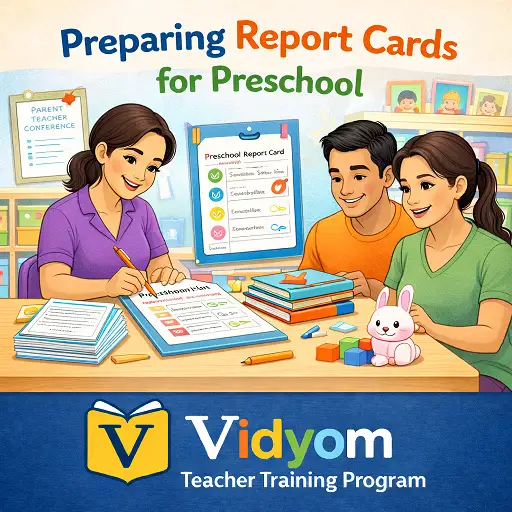
Preschool Report Cards – Overview and Template
A preschool report card should be easy for parents to understand and easy for teachers to complete. Keep it focused on important learning areas and avoid long, confusing paragraphs.
- Keep it short: Use 5 to 7 domains such as language, early math, motor skills, social skills, habits, art, and participation.
- Use one page: Add simple ratings, short indicators, and one parent-friendly comment box.
- Write clear indicators: Use actions like names, counts, matches, traces, retells, shares, listens, or follows.
- Use evidence: Base each rating on observation notes, oral checks, work samples, or classroom activities.
- Add a next step: Give one simple practice idea for home or the next classroom goal.
Skills and Indicators for Preschool Progress Reports
Indicators should describe what the child can actually do. Avoid vague words and write observable classroom actions.
- Language: Names common objects, speaks in short sentences, listens to stories, and answers simple questions.
- Early math: Counts objects, matches number to quantity, compares more and less, and identifies shapes.
- Fine motor: Holds crayon or pencil, traces lines, cuts with support, pastes neatly, and strings beads.
- Social habits: Shares turns, follows two-step directions, tidies materials, and joins group activities.
- Self-help: Manages bag, bottle, toilet routine, handwashing, and simple classroom responsibilities.
Evidence Collection for Preschool Report Cards
Report cards become fairer when teachers use small evidence collected during normal classroom routines.
- Mini notes: Write one line per child weekly, such as “counts 1 to 8 with counters.”
- Work samples: Save useful tracing, matching, drawing, counting, or story-sequencing work.
- Oral checks: Use quick prompts like “show 5,” “find /s/,” or “tell what comes next.”
- Photo evidence: Use photos only if school policy and parent permission allow it.
- Term folder: Keep 1 or 2 strong samples per domain instead of collecting every paper.
Rubrics and Rating Levels for Preschool Reports
A simple rating system helps teachers stay fair and helps parents understand progress without pressure.
- Independent: The child can do the skill without help in normal classroom activity.
- With help: The child can do the skill with a prompt, model, picture cue, or teacher support.
- Needs practice: The child is still learning the skill and needs more playful repetition.
- Use same prompts: Keep materials and instructions similar for each child when checking the same skill.
- Avoid labels: Do not write negative labels. Use growth-focused language instead.
Report Card Comments and Parent-Friendly Tone
A strong preschool report comment should be warm, specific, and useful. It should include a strength, evidence, and one next step.
- Start with strength: “Aarav listens carefully during story time and enjoys picture talk.”
- Add evidence: “He counts up to 10 with counters and matches basic shapes.”
- Give one target: “Next, he can practice tracing standing and sleeping lines at home.”
- Use simple words: Avoid technical terms that parents may not understand.
- Stay balanced: Mention support needs kindly and focus on growth.
40-Minute Preschool Report Card Workflow
This workflow helps teachers prepare report cards quickly without losing quality.
- 8 minutes: Sort observation notes, oral checks, and work samples by child.
- 8 minutes: Mark levels for two main domains such as language and early math.
- 8 minutes: Mark levels for habits, motor skills, and participation.
- 10 minutes: Write short comments using strength, evidence, and next-step format.
- 4 minutes: Check fairness, spelling, and tone before sharing.
- 2 minutes: Save or prepare the report for coordinator review.
Quick Quiz
Choose one option for each question and click Submit.
Teacher Reflection & Practice
After learning about preschool report cards, think about how clear skill indicators, classroom evidence, simple rating levels, and warm parent-friendly comments can make progress reports more useful, fair, and easy to understand.
Which part of preparing report cards is most difficult for you: choosing clear domains, writing observable indicators, collecting enough evidence, selecting fair rating levels, writing balanced comments, or deciding one useful next step for each child?
Review the notes, work samples, oral checks, and classroom observations you already have for one child. Notice whether each rating can be supported by real evidence and whether the report describes what the child can actually do rather than using vague or negative labels.
Prepare one sample preschool report card using a few clear domains and the levels independent, with help, and needs practice. Write one short comment using the strength, evidence, and next-step format, then check the wording for fairness, clarity, spelling, and parent-friendly tone.
Creating Clear and Supportive Preschool Progress Reports
Preschool Report Cards FAQs
These simple answers help preschool teachers prepare clear, fair, and parent-friendly report cards for Pre-KG, LKG, and UKG children.
What should preschool report cards include?
How can teachers make preschool report cards fair?
What rating levels are good for preschool reports?
How should teachers write preschool report comments?
Should preschool report cards mention weaknesses?
How often should preschool report cards be prepared?
📲 Download Vidyom – Kids Learning App
Enjoy safe and distraction-free learning for kids. Install the Vidyom app now for an ad-free experience, fun lessons, and interactive activities.