
Using Smartboards and Projectors in Preschool Safely
Using smartboards and projectors in preschool works best when screen time is short, active, visual, and guided by the teacher. This lesson explains safe setup, picture-first routines, touch games, simple slides, and classroom technology habits for young learners.
This lesson helps teachers use digital tools in preschool without making the class screen-heavy. Smartboards and projectors should support movement, speaking, picture talk, quick revision, and group participation. Keep every activity short, safe, and connected to real classroom learning.
Using Smartboards and Projectors in Preschool – Setup Basics
The screen should be easy to see, safe to approach, and simple enough for children to understand. Use large images, few words, clear sound, and short teacher-led tasks. The goal is interaction, not long passive watching.
- Safe setup: Keep the projector or smartboard at a safe height and check cables before class.
- Clear visuals: Use big pictures, high contrast, and very few words on each screen.
- Class seating: Use a semicircle or carpet space so every child can see.
- Turn-taking: Choose a few tap leaders and rotate turns quickly.
- Teacher control: The teacher should guide the activity and keep children focused on the learning goal.
Visual Routines with Classroom Technology
Preschool smartboard activities can make daily routines easier. Use the screen for quick check-ins, weather talk, classroom rules, and picture-based instructions.
- Morning check-in: Children move or point to their name card and count how many friends are present.
- Weather routine: Tap sun, cloud, rain, or wind icons and say one simple sentence.
- Rules slide: Show three picture rules: watching eyes, listening ears, and gentle hands.
- Clean-up steps: Display stop, tidy, and sit pictures before transition time.
- Daily review: Use one picture slide to revise yesterday’s learning.
Short Interactive Games for Preschool
Projector activities for preschool should be quick and active. Children can point, answer, clap, move, or take short turns instead of only watching.
- Color pop: Children tap or point to one color, such as red balloons or blue stars.
- Shape match: Match circle, square, and triangle pictures with their outlines.
- Sound hunt: Find pictures that begin with a target sound.
- Count and show: Show dots on the screen and let children show the number with fingers.
- Story picture walk: Show three pictures and ask children what happened first, next, and last.
Safe Screen Use in Preschool
Safe screen use in preschool means using technology for short, guided learning only. The teacher should protect children’s eyes, movement space, hygiene, and attention.
- Projector beam: Keep the beam above children’s heads and do not let children look into the light.
- Cables: Tape or cover wires so children do not trip.
- Clean touch area: Wipe stylus, remote, or touch surface regularly.
- Short screen cycles: Use quick activities and add movement breaks.
- Eye rest: Ask children to look away or stretch after a screen activity.
Simple Slides and Audio Visual Aids for Preschool
Audio visual aids for preschool should be simple and calm. Each slide should have one idea, one picture focus, and one child action.
- One idea per slide: Show one picture or one task at a time.
- Large text: Use big labels only when needed.
- Short audio: Keep sound clips very short and avoid loud effects.
- Consistent cue: Use the same button or arrow style for “next.”
- Offline backup: Keep a PDF or image copy ready in case the internet fails.
40-Minute Smartboard and Projector Lesson Plan
A balanced lesson should mix screen activity with movement, table work, and teacher talk. Technology should support the lesson, not replace the teacher.
- 5 minutes: Morning check-in, weather icon, and quick visual routine.
- 6 minutes: Color or shape touch game with rotating child turns.
- 6 minutes: Sound or number activity with pointing, clapping, and speaking.
- 8 minutes: Picture story walk with echo lines and discussion.
- 10 minutes: Learning centers with one screen station and two table activities.
- 5 minutes: Exit check, praise, eye rest, and calm song.
Quick Quiz
Choose one option for each question and click Submit.
Teacher Reflection & Practice
After learning about using smartboards and projectors in preschool, think about how short, active, teacher-guided screen activities can support speaking, movement, picture talk, revision, and participation without making the classroom screen-heavy.
Which part of classroom technology use is most difficult for you: preparing simple visuals, keeping screen time short, giving children equal turns, managing cables and projector safety, adding movement breaks, or choosing activities that support a clear learning goal?
During your next smartboard or projector activity, notice whether children are actively pointing, speaking, moving, answering, or taking turns instead of only watching. Also check whether the screen is easy to see, the projector beam and cables are safe, and each slide contains one clear idea or action.
Plan one short technology-supported activity using large pictures, very few words, and one clear child action. Keep turns brief, add a movement or eye-rest break, and follow the screen activity with a related table, speaking, or hands-on task so technology supports rather than replaces classroom learning.
Making Classroom Technology Active and Child-Friendly
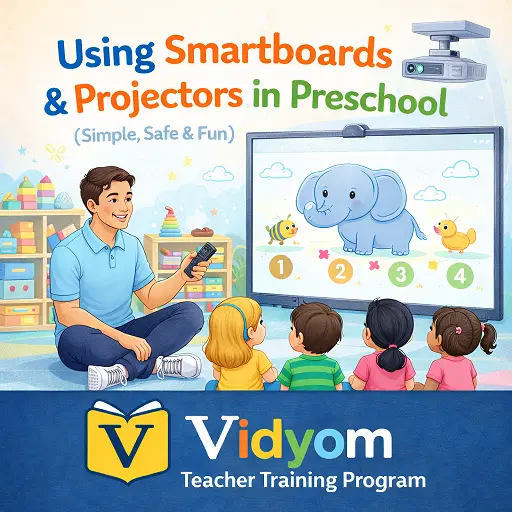
Using Smartboards and Projectors in Preschool FAQs
These simple answers help preschool teachers use classroom technology safely, actively, and meaningfully with young children.
Is using smartboards and projectors in preschool helpful?
How long should preschool screen activities be?
What are good smartboard activities for preschool?
How can teachers keep projector use safe?
Should preschool teachers use long videos in class?
What should preschool slides look like?
📲 Download Vidyom – Kids Learning App
Enjoy safe and distraction-free learning for kids. Install the Vidyom app now for an ad-free experience, fun lessons, and interactive activities.