
Educational Apps for Young Learners in Preschool
Educational apps for young learners can support preschool learning when they are safe, simple, ad-free, and used for short guided activities. This lesson helps teachers choose preschool learning apps, set rules, plan rotations, and connect app-based learning with real classroom practice.
This lesson helps teachers use kids educational apps without making the classroom screen-heavy. Good app use should be short, active, supervised, and connected to a real skill. After every digital activity, children should also practise the same idea with objects, cards, drawing, talking, or movement.
Educational Apps for Young Learners – Selection Criteria
Choose apps that are child-safe, simple, and skill-focused. A good preschool app should not depend on ads, pop-ups, outside links, or long screen time. The teacher should know the goal before opening the app.
- Safety first: Prefer ad-free apps with no open links, chat, or unnecessary login.
- Simple design: Big visuals, clear sound, and one action per screen are easier for young children.
- Short use: Plan around 5 to 7 minutes per child or per small group.
- Teacher control: Use apps for guided practice, not free unsupervised scrolling.
- Real-world link: Follow every app task with a matching offline activity.
Types of Preschool Learning Apps
Different apps support different skills. Teachers should select one type based on the lesson goal and avoid using many apps in one session.
- Phonics apps: Sound matching, beginning sounds, letter recognition, and simple word building.
- Early math apps: Counting, comparing, sorting, patterns, shapes, and number matching.
- Drawing apps: Tracing lines, shapes, letters, and simple creative drawing.
- Story apps: Picture books, read-aloud support, and story sequence practice.
- Timer and routine apps: Visual timers, turn-taking support, and classroom routine cues.
Setup, Rules and Safe Learning Apps for Children
Safe learning apps for children need clear classroom rules. Prepare devices before class so children do not see ads, notifications, messages, or unrelated content.
- Device prep: Turn on airplane mode if the app works offline and close other apps.
- Sound level: Keep volume low and use teacher voice for instruction.
- Turn rule: Use a timer and name cards so children know when their turn will come.
- Gentle touch: Teach children to tap softly and pass the device carefully.
- Privacy: Avoid entering child names, photos, or personal details unless the school has permission.
Offline and Low-Tech Alternatives
App-based learning for preschool should not replace hands-on learning. Every app idea can have a matching low-tech classroom activity.
- Phonics tray: Sort objects by beginning sound using letter cards.
- Math cups: Count beads, buttons, or blocks into number cups.
- Pattern strips: Complete color or shape patterns with paper cards.
- Story cards: Arrange four pictures and retell the story in order.
- Turn card: Use a sand timer and child name cards for device rotations.
40-Minute App-Based Learning Plan
A good plan mixes digital learning tools with teacher guidance, small-group activity, and offline practice. This keeps screen time meaningful and balanced.
- 5 minutes: Explain app rules, gentle touch, timer sound, and turn-taking.
- 8 minutes: Rotation 1 with phonics or sound matching app.
- 8 minutes: Rotation 2 with early math or sorting app.
- 8 minutes: Rotation 3 with story, drawing, or creativity app.
- 6 minutes: Offline mirror task using cards, trays, objects, or worksheets.
- 5 minutes: Exit check, praise, hand cleaning, and device tidy-up.
Teacher Tips and Troubleshooting
Technology can sometimes fail, so teachers should always have a simple backup. The main lesson goal should continue even if the app stops working.
- If the app freezes: Close it and move to the offline mirror task.
- If children fight for turns: Use a visual timer and turn cards.
- If the app is too fast: Switch to an easier level or model slower tapping.
- If sound is distracting: Reduce volume or turn off extra effects.
- If internet fails: Use downloaded content, picture cards, or prepared worksheets.
Quick Quiz
Choose one option for each question and click Submit.
Teacher Reflection & Practice
After learning about educational apps for young learners, think about how safe, simple, short, and teacher-guided app activities can support real classroom skills without replacing hands-on learning, speaking, movement, drawing, or play.
Which part of using educational apps is most difficult for you: choosing safe ad-free apps, matching an app to one learning goal, limiting screen time, managing device turns, protecting child privacy, or preparing an offline backup activity?
During your next app-based activity, notice whether children understand the task, take turns calmly, use the device gently, stay focused on one skill, and receive enough teacher guidance. Also check whether the activity lasts only a short time and connects naturally to an offline classroom task.
Choose one phonics, early math, drawing, or story activity and plan a short 5 to 7 minute guided app session. Prepare the device before class, use a timer for turns, avoid unnecessary personal information, and follow the digital task with a matching activity using cards, objects, drawing, speaking, or movement.
Choosing Safe and Meaningful Learning Apps
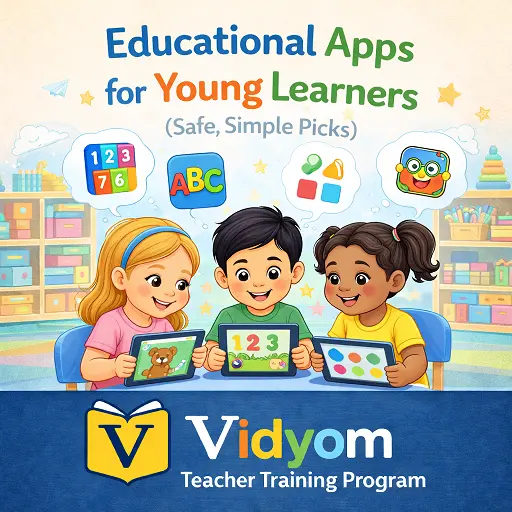
Educational Apps for Young Learners FAQs for Teachers
These simple answers help preschool teachers choose safe learning apps, plan short screen activities, and connect digital practice with real classroom learning.
What are educational apps for young learners?
How should teachers choose preschool learning apps?
How long should young children use learning apps in class?
Should educational apps replace hands-on activities?
What safety rules should teachers follow before using apps?
What can teachers do if an app stops working?
📲 Download Vidyom – Kids Learning App
Enjoy safe and distraction-free learning for kids. Install the Vidyom app now for an ad-free experience, fun lessons, and interactive activities.