Classroom Management Skills · Lesson 5
Creating an Inclusive Classroom (Special Needs)
Practical UDL, visual supports, simple accommodations, and sensory-friendly flow.
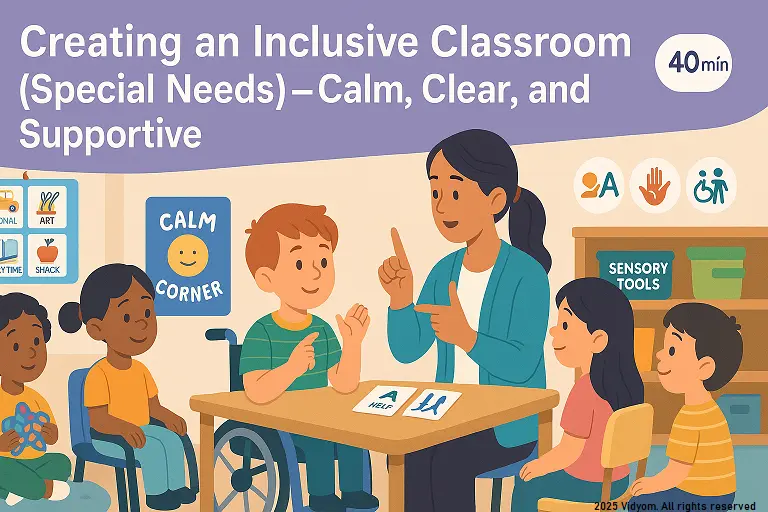
A calm, well-structured room helps every child. This guide shows how to build an inclusive classroom in preschool using simple visuals, predictable routines, and sensory-aware choices. With small adaptations and teamwork, an inclusive classroom in preschool becomes warm, safe, and ready for learning.
Overview & Materials
- Materials: visual schedule, first/then cards, choice boards, fidget box, noise-reducing headphones, sand timers, sit spots.
- Seating: close to instruction, reduced distractions, clear pathways.
- Signals: soft chime + hand signal + brief instruction.
- Language: short sentences + show pictures + model once.
UDL & Identify Needs
- Multiple ways to join: listen, point, show card, speak.
- Multiple materials: thick crayons, large puzzles, big-grip tools.
- Observation notes: triggers (noise, wait time), strengths (puzzles, music).
- Small goals: 1 step at a time—“sit 2 minutes”, “ask for help”.
Visuals & Routines
- Visual schedule: point before each transition.
- First/Then: “First tidy, then blocks”.
- Choice boards: “sit spot or chair”, “crayons or markers”.
- Sensory breaks: 2–3 minutes: wall push, breathe, stretch.
Adaptations & Supports
- Task adapt: fewer items, larger pieces, extra model.
- Input adapt: reduce noise; use headphones; calm corner.
- Response adapt: allow point/trace/stamp instead of write.
- Peer buddy: pair for turn-taking and model language.
Family & Teamwork
- Daily note: 1 win + 1 practice idea.
- Share visuals: send picture cards used in class.
- Team meeting: agree signals, supports, and goals.
- Record: simple chart to track progress weekly.
Mini Timetable (Sample 40 minutes)
- 6 min — Visual schedule review + signal practice
- 8 min — UDL activity (3 ways to respond)
- 8 min — Visuals & first/then modeling
- 10 min — Centers with simple adaptations
- 8 min — Sensory break + reflect + praise
Quick Quiz (5 Questions)
Choose one option for each question and click Submit.
(1/7)

📲 Download VIDYOM App
Fun & interactive Kids Learning App! Install now and don’t forget to ⭐ rate us on Google Play.