
Using YouTube Safely for Kids Learning – Preschool Teacher Guide
Using youtube safely for kids learning means choosing short, age-appropriate videos, previewing every clip, blocking distractions, and connecting each video to a real classroom activity. This lesson helps preschool teachers use online video learning with clear rules and safe routines.
This lesson helps teachers use YouTube as a guided teaching tool, not as free browsing time. Safe video learning works best when the teacher previews the clip, opens it full-screen, controls the timing, turns off distractions where possible, and follows the video with speaking, movement, drawing, or picture-card practice.
Using YouTube Safely for Kids Learning – Overview and Rules
YouTube can support preschool teaching when it is planned carefully. The teacher should choose short clips, preview the full video, avoid free searching in front of children, and use the video only for a clear lesson goal.
- Keep clips short: Use 2 to 4 minute videos and avoid long passive watching.
- Preview first: Watch the full video before class, including the beginning and ending.
- No free browsing: Children should not search or click suggested videos.
- Clear lesson purpose: Use videos for a target skill like phonics, rhyme, number, story, action word, or safety rule.
- Follow-up activity: After the video, use cards, actions, drawing, oral practice, or a quick question.
Setup and Controls for Safe Video Learning
Before the lesson begins, prepare the device and screen so children see only the selected learning video. Good setup reduces distractions and helps the teacher stay in control.
- Use child-safe settings: Use the safest available mode, supervised account, or YouTube Kids setup where suitable.
- Control autoplay: Turn off autoplay where possible and stop the video before suggested content appears.
- Hide distractions: Use full-screen mode and avoid comments, sidebars, notifications, and unrelated tabs.
- Check volume: Keep sound clear but not loud, and avoid sudden noisy clips.
- Prepare backup: Keep picture cards or downloaded alternatives ready if the internet fails.
Playlists, Clip Choice and Offline Options
A prepared playlist is safer than live searching. Choose only a few clips for one topic and keep them directly connected to the day’s learning goal.
- Small playlists: Keep 3 to 5 safe clips for one topic or week.
- Exact start points: Use timestamps or notes to start at the useful part of the video.
- Caption check: Captions can help with words, but check them first for accuracy.
- Offline plan: Prepare non-video alternatives like story cards, rhyme cards, posters, or worksheets.
- Content match: Avoid videos that are too fast, too noisy, too long, or not age-appropriate.
Classroom Routines During YouTube Lessons
A video lesson should be active. Children should predict, listen, repeat, move, answer, and retell instead of only watching silently.
- Before watching: Show 2 or 3 picture cards and ask what children may see or hear.
- During watching: Pause every 40 to 60 seconds for echo words, actions, or simple questions.
- After watching: Ask children to point, match, retell, draw, count, or say one word from the video.
- Class jobs: Give roles like pause helper, volume helper, picture pointer, or answer leader.
- Movement break: If children become restless, pause and do a 30-second action activity.
YouTube Safety for Kids in Preschool
YouTube safety for kids is not only about the video. It also includes screen distance, eye comfort, teacher control, privacy, and respectful use of content.
- Screen distance: Keep children at a comfortable distance from the screen.
- Eye break: Between clips, ask children to look away for a few seconds.
- Privacy: Do not show or upload children’s personal details without school and parent permission.
- Respect creators: Use videos for classroom learning and avoid copying or re-uploading others’ work.
- Teacher control: The teacher should operate the device, not children.
40-Minute Preschool Video Lesson Plan
This sample plan keeps video time short and adds enough speaking, movement, and hands-on practice so children stay active.
- 5 minutes: Picture walk, target words, and video rule reminder.
- 5 minutes: Clip 1 with pause, echo, and action response.
- 5 minutes: Clip 2 with simple questions and picture matching.
- 10 minutes: Centers for caption word, retell cards, drawing, or sorting.
- 7 minutes: Group activity using actions, flashcards, or oral answers.
- 8 minutes: Exit check, calm song, review, and teacher praise.
Quick Quiz
Choose one option for each question and click Submit.
Teacher Reflection & Practice
After learning about using youtube safely for kids learning, think about how short, previewed, teacher-selected videos can support preschool learning when distractions are controlled and every clip is connected to speaking, movement, picture work, drawing, or another hands-on activity.
Which part of safe YouTube use is most difficult for you: previewing the full clip, keeping videos short, preventing suggested-video browsing, controlling autoplay and distractions, checking captions and age suitability, or preparing an offline backup activity?
During your next video-based lesson, notice whether children are predicting, listening, repeating, moving, answering, or retelling instead of watching passively. Check whether the teacher controls the device, pauses regularly for interaction, keeps children at a comfortable screen distance, and follows the video with a real classroom task.
Choose one short 2 to 4 minute video for a clear learning goal and preview it completely before class. Prepare the correct start point, turn off distractions where possible, plan one or two pause questions, and follow the clip with picture cards, actions, drawing, oral practice, sorting, or another offline activity.
Safe and Purposeful Video Learning in Preschool
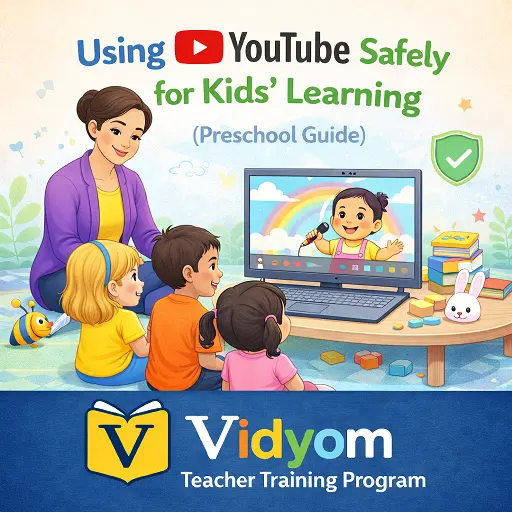
Using YouTube Safely for Kids Learning FAQs for Teachers
These simple answers help preschool teachers use YouTube videos carefully with previewing, playlists, safe settings, teacher control, and short follow-up activities.
What does using youtube safely for kids learning mean?
Should preschool teachers search YouTube videos during class?
How long should a preschool YouTube video be?
How can teachers reduce YouTube distractions?
Can YouTube replace classroom activities?
What should teachers do if the internet fails during a YouTube lesson?
📲 Download Vidyom – Kids Learning App
Enjoy safe and distraction-free learning for kids. Install the Vidyom app now for an ad-free experience, fun lessons, and interactive activities.