
Simon Says Commands – 100 List for Kids
Explore 100 Simon Says commands for kids. Search to find actions quickly, use the category buttons to filter commands, or shuffle the list for a fun surprise. Perfect for home play, classroom brain breaks, parties, and listening practice.
Simon Says Commands – Spin Wheel
Spin the wheel to choose a random Simon Says command. Turn the voice on to hear the selected action after the wheel stops.
Selected Command
Press Spin
Spin again anytime for a new command.
Simon Says Commands – Learning Benefits for Kids
This 100 Simon Says commands list makes quick games easy at home or in class. Children listen carefully, follow directions, practise action words, and enjoy movement while they play.
Listening and Focus
By waiting for the cue, kids improve attention and practise careful listening. Quick rounds can also help settle the group before learning time.
Self-Control
Stop-and-go actions encourage children to pause, think, and respond at the right time instead of moving immediately.
Vocabulary Practice
Children practise useful action words such as clap, wave, jump, touch, and stretch while also becoming familiar with simple direction words.
Motor Skills
Simple Simon Says movements support balance, coordination, body control, and active play while children follow instructions.
Focus
Encourages children to listen before acting.
Routines
Useful for classroom warm-ups and short brain breaks.
Vocabulary
Reinforces common action and direction words.
Safe Movement
Gives children simple ways to move in a controlled space.
Teacher/Parent Tip: Start with 6 easy commands, then introduce one new category at a time. For example, move from Basics to Movement. Keep sessions around 8–12 minutes, praise careful listening, and stop before children become tired.
How to Use These 100 Simon Says Commands
Use the command list or Spin Wheel to start a quick Simon Says game at home, in class, or during a brain break.
Choose a Command
Pick an action from the list or spin the wheel.
Say “Simon Says”
Children move only when the instruction begins with “Simon says.”
Mix the Actions
Combine movement, animals, directions, face actions, and easy commands.
Keep It Fun
Use short rounds and change categories often.
Explore More Simon Says Lessons
Continue learning with more Simon Says activities for movement, animal actions, face and hand actions, directions, stretching, and safety rules.






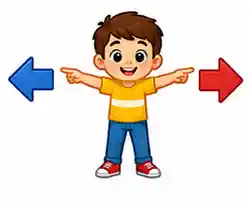

Simon Says Commands for Kids – Fun Listening and Movement Activities
Explore fun Simon Says commands for kids that encourage listening, following directions, movement, self-control, vocabulary, and active classroom or home play.
Simon Says Commands – Parents’ FAQ
These quick answers help parents and teachers use Simon Says Commands as a safe, fun, and useful following directions game. The 100 Simon Says commands list can support listening, movement, vocabulary, and classroom brain breaks.
Why play Simon Says?
What ages are best for Simon Says?
How long should a session be?
How do we start a session?
What safety rules should we follow?

📲 Download Vidyom – Kids Learning App
Enjoy safe and distraction-free learning for kids. Install the Vidyom app now for an ad-free experience, fun lessons, and interactive activities.